Online Safety Links
Parental Controls on New Devices
Online Safety - TIKTOK
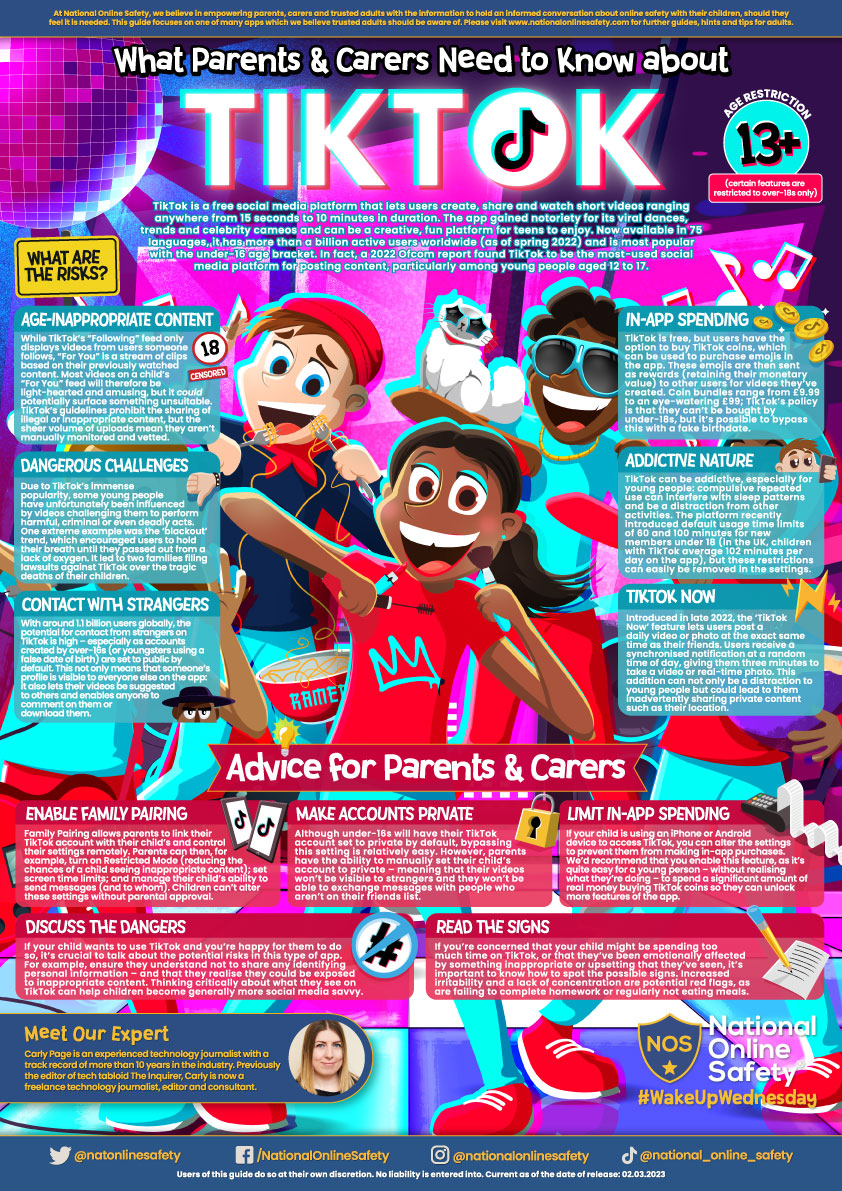
TikTok is a free social media platform that lets users create, share and watch short videos ranging anywhere from 15 seconds to 10 minutes in duration. The app gained notoriety for its viral dances, trends and celebrity cameos and can be a creative, fun platform for teens to enjoy. Now available in 75 languages, it has more than a billion active users worldwide (as of spring 2022) and is most popular with the under-16 age bracket. In fact, a 2022 Ofcom report found TikTok to be the most-used social media platform for posting content, particularly among young people aged 12 to 17.
In the guide, you'll find tips on avoiding potential risks such as age-inappropriate content, dangerous challenges and contact with strangers.
Online Safety - ROBLOX
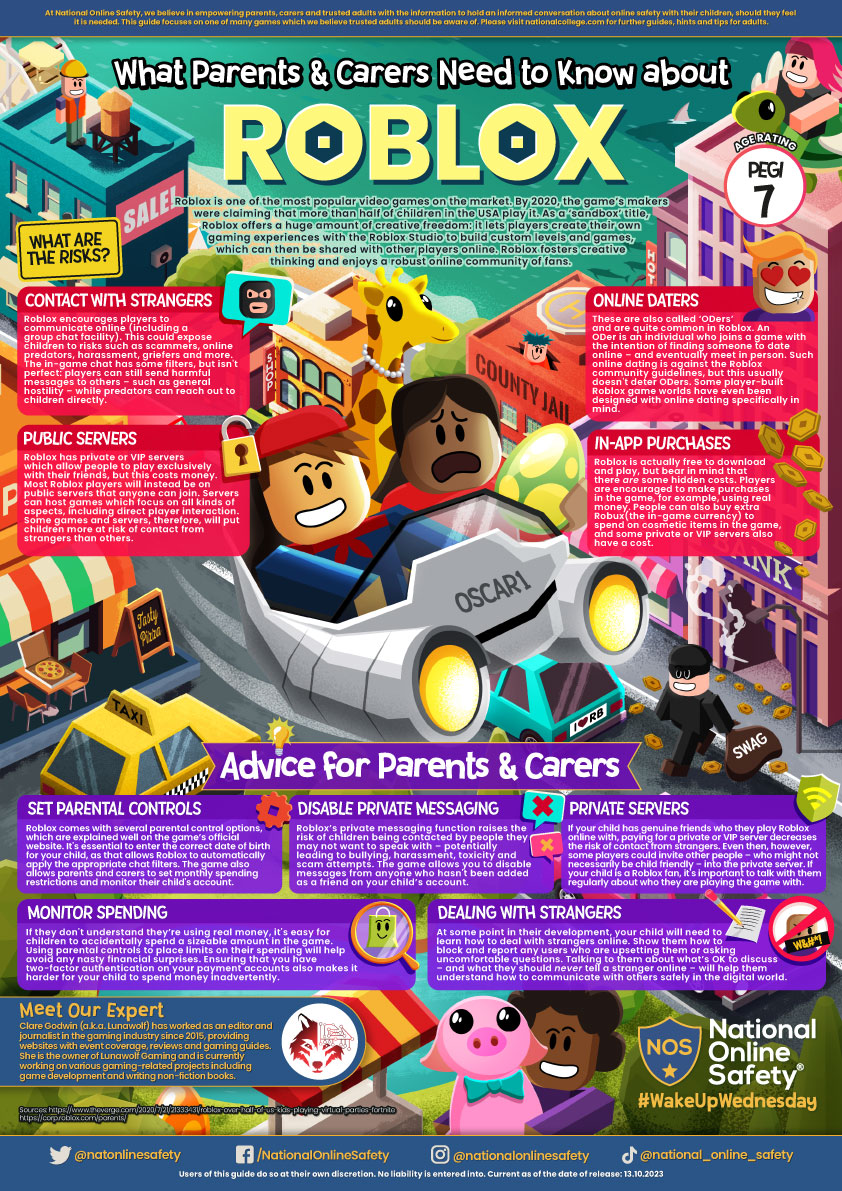
Roblox is one of the most popular video games on the market. By 2020, the game’s makers were claiming that more than half of children in the USA were playing it. As a ‘sandbox’ title, Roblox offers a huge amount of creative freedom: it lets players create their own gaming experiences with the Roblox Studio to build custom levels and games, which can then be shared with other players online. Roblox fosters creative thinking and enjoys a robust online community of fans.
In the guide, you'll find tips on avoiding potential hazards such as online daters, in-app purchasing and contact with strangers.
Online Safety - SNAPCHAT
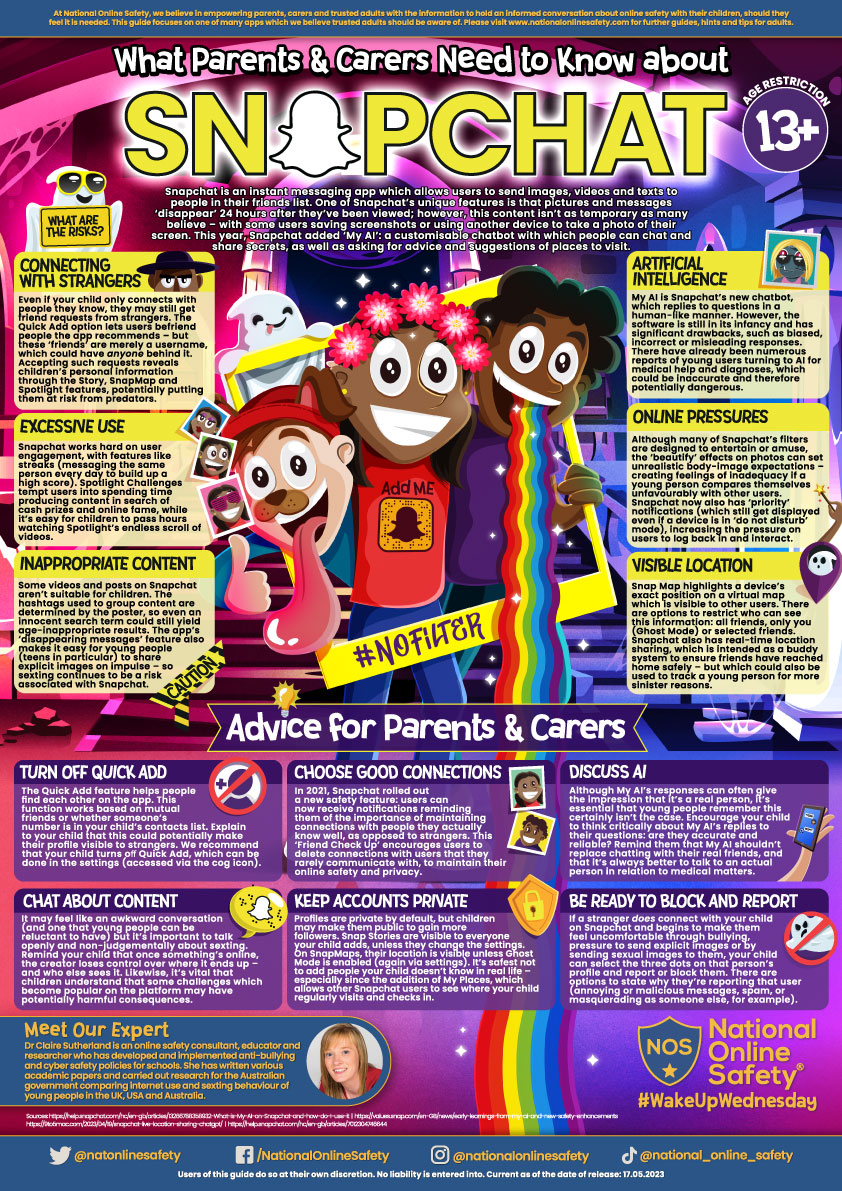
Snapchat is a photo- and video-sharing app through which users can chat with friends via text or audio. Images and videos can be shared with specific friends, or as a ‘story’ (documenting the previous 24 hours) which is visible to a person’s entire friend list. Snapchat usage rose significantly during the lockdown periods, with many young people utilising it to stay connected with their peers. The app continues to develop features to engage an even larger audience and emulate current trends, rivalling platforms such as TikTok and Instagram.
In the guide, you'll find tips on avoiding potential risks such as sexting, visible location and contact from strangers.
Online Safety - Group Chats
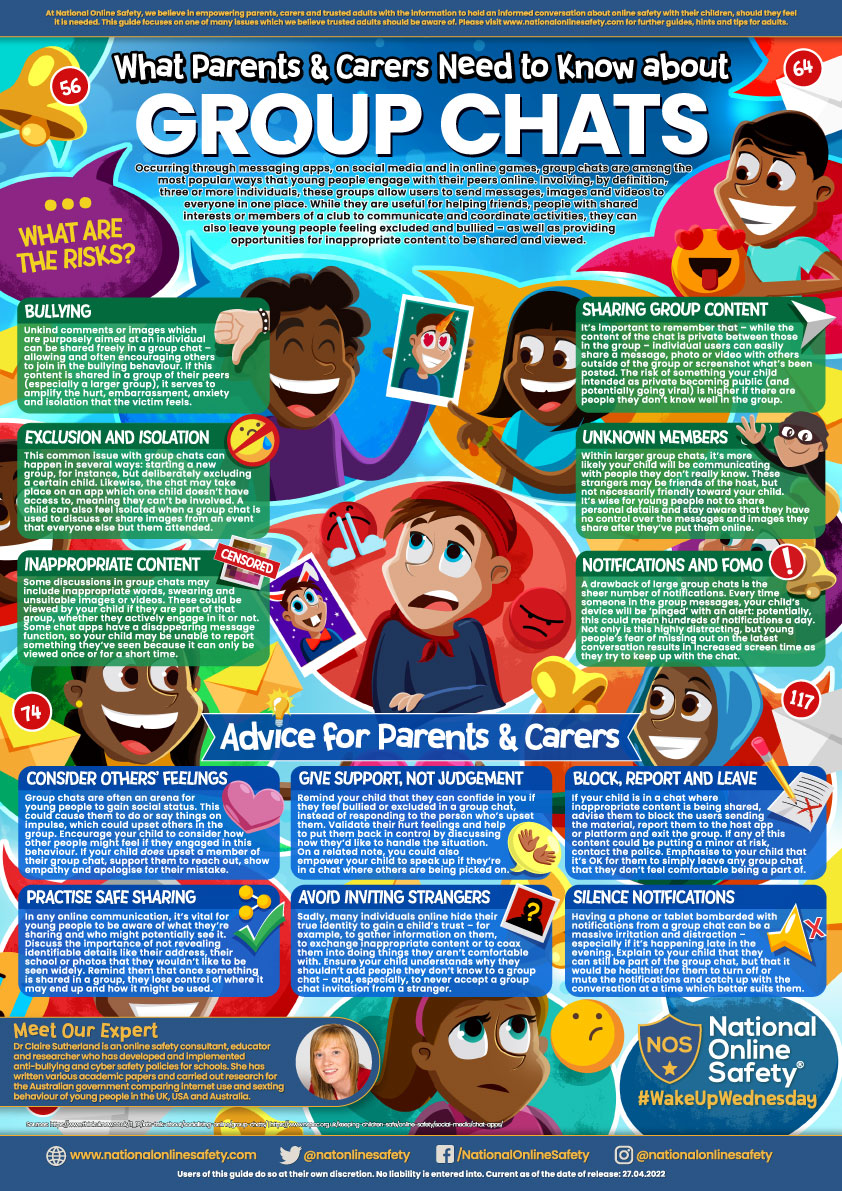
Occurring through messaging apps, on social media and in online games, group chats are among the most popular ways that young people engage with their peers online. Involving, by definition, three or more individuals, these groups allow users to send messages, images and videos to everyone in one place. While they are useful for helping friends, people with shared interests or members of a club to communicate and coordinate activities, they can also leave young people feeling excluded and bullied – as well as providing opportunities for inappropriate content to be shared and viewed.
In the guide, you'll find tips on a number of potential risks such as bullying, inappropriate content and unknown members.
WhatsApp Information
WhatsApp is a hugely popular mobile and desktop app which can play a significant role in your child’s life, both online and offline. This blog takes a closer look at the messaging platform and how you can ensure they have a safe experience using it.
WhatsApp offers a quick, easy, and free way for young people to connect with friends and family, whether by sharing photos, videos or memes. WhatsApp requires a minimum age of 16 but relies on the honesty of the child and family to adhere to the age restrictions. If you have decided together with your child that they can begin to use it, then it is important that you support them to do so safely.
Types of group chats
Your child might be in group chats of various sizes, these could be with family members, close friends, or even with whole classes or year groups.
It is important to be aware that your child may not necessarily know every person in all of their group chats. It can be a good conversation starter to ask your child about the groups they are part of and whether they know all of the members within them.
Creating and joining group chats
The creator of a group on WhatsApp is known as the ‘admin’. An admin must have your phone number saved in their contacts in order to add you to a group. You can leave a group at any time, but admins can re-add a user at any time. Admins can also choose to remove participants without permission.
A default setting in WhatsApp means that your child can automatically be added to a chat by someone else without needing permission; a useful safety precaution to take is to disable this.
Within WhatApp on their phone, go to:
- Settings > Account > Privacy > Groups > My Contacts Except
- Then, ‘Select All’ their contacts.
If someone tries to add them to a group, they have to send a link first with an invitation to accept.
Are group chats private?
Although WhatsApp chats are end-to-end encrypted, meaning no one else can read or listen to your child’s messages, it’s important to keep in mind that anything sent privately can always be shared further by forwarding messages, saving images, or taking screenshots. No message is ever guaranteed to be 100% private.
Whilst your child’s live location is not automatically visible on WhatsApp, it is possible to share a location within an open chat. If you are not comfortable with this option, location tracking can be disabled within the settings on your child’s phone, which will then apply to all apps on their phone.
If your child has an Apple device, head to:
- Settings > Privacy, then select Location Services.
- Select an app, then turn ‘Precise Location’ on or off.
If your child has an Android device, head to:
- Quick settings menu, then long-press on the Location icon. Or, swipe down, tap Settings icon, and choose ’Location.’
- Find the ’Use location’ feature at the top and toggle it off.
Notably, your child can disable this setting at any time, and, if your child clicks on share location on WhatsApp (or any other location sharing app), they will likely present your child with the option to go to their phone’s settings and enable the function again.
Managing group chats
Young people may find themselves in many chats and could feel overwhelmed by the notifications, the volume of content posted, and pressure from others to respond. There are different ways to deal with these issues.
- Talk together about using WhatsApp. Talking to your child about the different groups you are in, and explaining how you manage them, can be really helpful.
- Mute a group. If notifications are becoming distracting for your child and interrupting their school work or even sleep, and they’re feeling pressure to respond quickly, then muting a group can be a positive action. Your child still remains a member and receives all the messages but is not notified when new ones are posted.
- Search a group. If your child wants to find something quickly, a chat can be searched for using specific key words to find previous conversations, or just the media that has been shared.
- Turn off ‘Read Receipts.’ Deactivating read receipts means that others are only able to see when messages are delivered, but not if they’ve been read. Although this blanket setting has to be applied to all chats, it may be helpful if your child is feeling pressure to respond quickly.
- Disable ’Last Seen’ status. It is notable that even if Read Receipts are disabled, others that have added your child as a contact can see when they were last active to the precise minute. You can disable this function by heading to: Settings > Account > Last Seen, then change the setting to ‘Nobody’.
- Leave a group. The final option is to leave a group chat. When doing this, other participants are notified that this has happened, and an admin will need to re-admit anyone who wants to re-join.
Are there any other risks?
Like with any social media app, it isn’t possible to control what other people choose to share online. What is funny to one person, may cause upset to another, and content may be misinterpreted. If your child is being bullied, sees bullying within a group, or inappropriate content is being shared, then this is not acceptable and needs to be reported. Taking screenshots can be a useful way of saving the evidence.
Blocking and reporting
Other users can be reported and also blocked within the app. To do so, simply click their name to bring up their information and choose either ‘Block contact,’ or ‘Report contact.’
Be available to help
Let your child know that they can always come to you for help and support if they see anything that concerns, upsets, or confuses them online, without worrying about judgement. Open dialogue is key. Encouraging your child to discuss what they enjoy about a specific app can be a helpful bridge to talking about safety messages and more difficult issues in the future.
Useful links
https://www.childnet.com/parents-and-carers/hot-topics/cyberbullying
https://faq.whatsapp.com/general/